使用深度预设配置
版本V3.1
1、概述
Orbbec Gemini 330系列3D相机内置了多种预定义的场景化深度预设配置(Dpeth Presets)。针对3D相机的具体应用场景,用户可以通过Orbbec Viewer工具和Orbbec SDK,以及Wrapper(例如,ROS
1 Wrapper、ROS 2 Wrapper等)来选择最佳的深度预设配置,从而在此场景下获得比使用通用深度配置更出色的深度效果。
Orbbec Gemini 330系列相机的用户还可以自行修改相关的深度设置并保存自定义的深度预设配置(Custom Preset)。所有的设置修改都可以通过Orbbec Viewe。我们采集了大量含真值的数据集,并结合AI算法来实现特定场景下的深度预设配置优化。未来,我们还会根据3D相机新的应用情况提供更多的深度预设配置。
为获取较好的深度效果,建议您首先采用推荐的默认深度配置:
● Gemini 335:1280 x 800 @30fps,启用自动曝光,后处理采用默认配置。
● Gemini 330:1280 x 800 @30fps,启用自动曝光,后处理采用默认配置。
● Gemini 335L:1280 x 800 @30fps,启用自动曝光,后处理采用默认配置。
● Gemini 330L:1280 x 800 @30fps,启用自动曝光,后处理采用默认配置。
如果获得的深度效果不理想,请首先尝试将曝光模式从自动(Auto Exposure)切换到手动(Manual Exposure),然后手动调整深度传感器曝光时间。在这个过程中保持深度传感器的增益值尽可能低(建议值为16),并按需调整激光能级。
2、支持设备
Gemini 330系列,包括Gemini 335,
Gemini 330, Gemini 335L, Gemini 330L, 以及本系列的后续新相机。
3、预设配置表
|
预设 |
特征 |
建议使用场景 |
|
Default |
●
最佳视觉效果 ●
整体性能较好,包括精度、填充率、小物体检测能力等典型指标 |
●
通用场景 ●
机器人应用 |
|
Hand |
●
清晰的手和手指边缘 |
●
手势识别 |
|
High Accuracy |
●
高可靠的深度信息 ●
极少的深度噪声 ●
相对较低的深度填充率 |
●
避障 ●
物体扫描 |
|
High Density |
●
更高的深度填充率 ●
可检测到更多的细小物体 ●
更容易受到深度噪声影响 |
●
物体识别 ●
抓取 ●
前景或背景处理,如抠图等 |
|
Medium Density |
●
平衡的深度填充率和精度表现 ●
与默认设置相比:填充率相对较低,边缘质量更好 |
●
通用场景,可替代Default |
|
Custom 自定义模式 |
●
用户自行定义的深度预设配置 ●
基于相机内置的深度预设配置,用户对其自行进行调整,例如,对后处理滤波使用新的配置,调整自动曝光功能的目标亮度等 |
●
通过自行调整深度配置,可获得比预定义深度预置配置更好的效果 ●
经过充分验证的定制化深度配置 |
4、不同深度预设配置下的效果展示
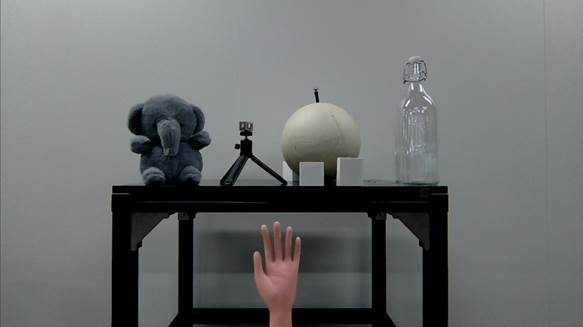
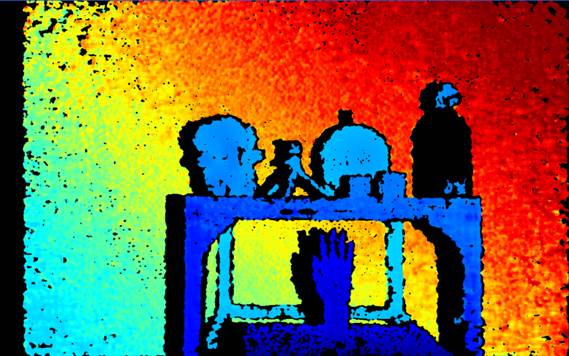
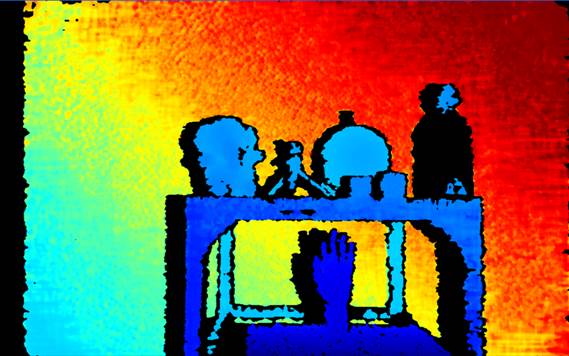
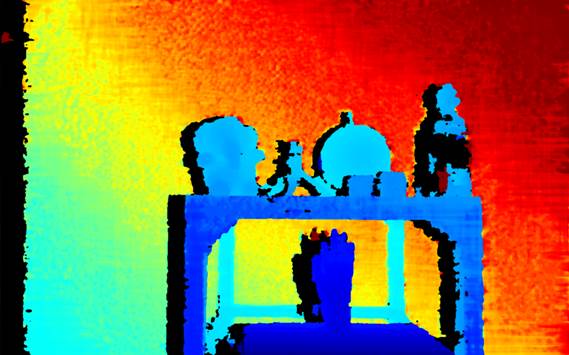
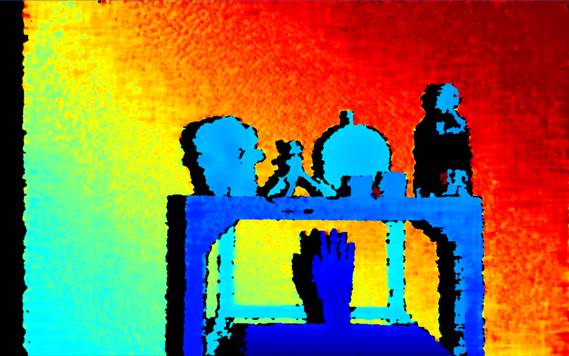
请参考下面不同预设配置下的深度效果。所有深度预设配置均基于相同的场景进行测试,该测试场景中包含了不同材质、纹理、反射率及距离的多种物体。
所有图像均使用以下配置和环境条件采集:
|
环境照明:约150 - 200 Lux |
||
|
|
Depth |
RGB |
|
分辨率 |
1280
x 800 |
1280
x 720 |
|
帧率 |
30fps |
30fps |
|
自动曝光 |
enabled |
enabled |
4.1
Gemini 335 & 330
|
Gemini 335 & 330 3D Camera |
|
|
场景RGB图像 |
|
|
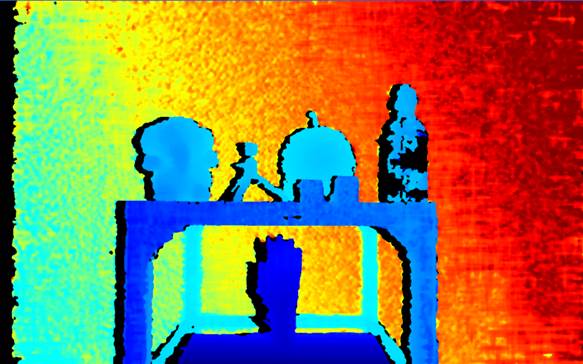
场景深度图像 预设配置: -
Default
|
|
|
●
填充率较高,大多数物体可见 ●
几乎没有深度噪声 ●
可接受的边缘效果 ●
玻璃瓶深度大面积缺失 ●
手指粘连 |
|
|
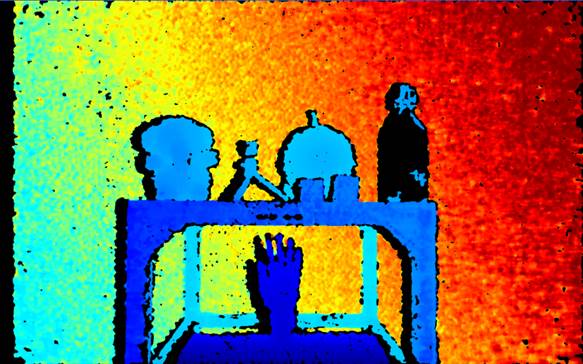
场景深度图像 预设配置: -
Hand |
|
|
●
出色的手指和方块边缘效果 ●
无深度噪声 ●
填充率显著降低 ●
玻璃瓶深度基本不可见 |
|
|
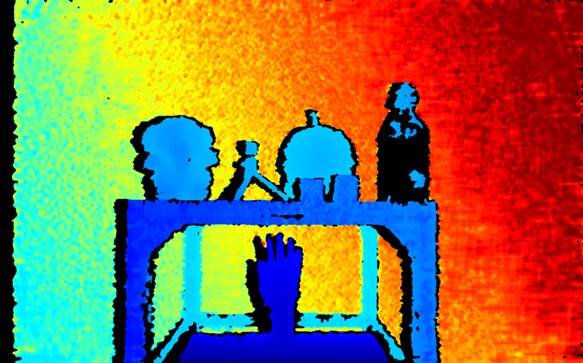
场景深度图像 预设配置: -
High Accuracy |
|
|
●
良好的手指和方块边缘质量 ●
无深度噪声 ●
填充率略低 ●
玻璃瓶深度基本不可见 |
|
|
场景深度图像 预设配置: -
High Density |
|
|
●
玻璃瓶清晰可见 ●
三脚架全部可见 ●
手指边缘效果较差 ●
存在零星深度噪声 |
|
|
场景深度图像 预设配置: -
Medium Density |
|
|
●
填充率良好,大多数物体可见 ●
几乎没有深度噪声 ●
良好的手指边缘效果 ●
玻璃瓶深度大面积缺失 |
|
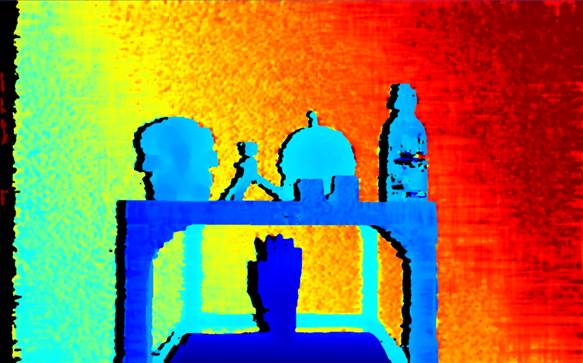
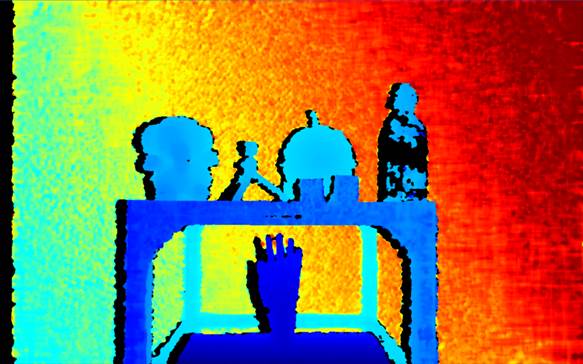
4.2
Gemini 335L & 330L
|
Gemini 335L & 330L 3D Camera |
|
|
场景RGB图像 |
|
|
场景深度图像 预设: -
Default
|
|
|
●
填充率良好,大多数物体可见 ●
几乎没有噪声深度值 ●
边缘效果良好 ●
玻璃瓶部分缺失较显著 ●
手指粘连 |
|
|
场景深度图像 预设: -
Hand |
|
|
●
手指的边缘清晰 ●
没有噪声深度值 ●
填充率显著下降 ●
玻璃瓶几乎不可见 |
|
|
场景深度图像 预设: -
High Accuracy |
|
|
●
手指的边缘效果良好 ●
没有噪声深度值 ●
填充率略低 ●
玻璃瓶几乎不可见 |
|
|
场景深度图像 预设: -
High Density |
|
|
●
填充率良好,大多数物体可见 ●
几乎没有噪声深度值 ●
玻璃瓶部分可见 ●
手指的边缘效果较差 |
|
|
场景深度图像 预设: -
Medium Density |
|
|
●
填充率良好,大多数物体可见 ●
噪声深度值较少 ●
玻璃瓶几乎不可见 ●
手指的边缘效果良好 |
|
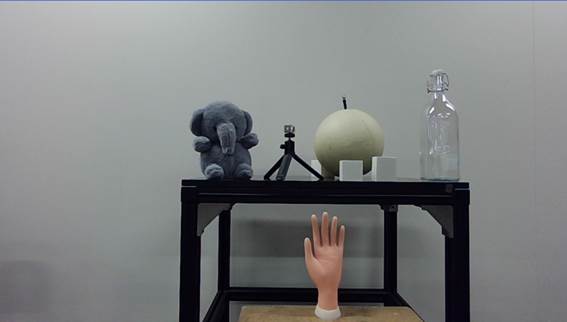
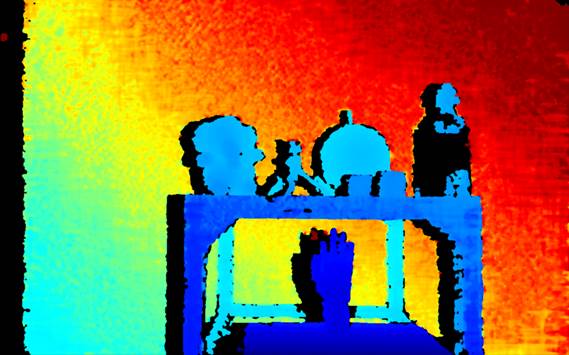
5、预设使用
5.1 Orbbec Viewer
|
预设 |
默认模式 |
默认模式切换到高精度模式 |
高精度模式 |
|
Orbbec Viewer |
|
|
|
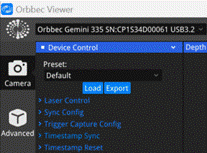
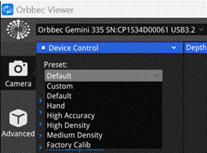
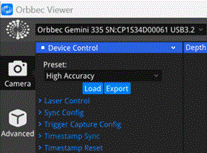
上表我们演示了如何将深度预设选项从Default切换到High Accuracy。深度预设选项的下拉框位于Orbbec Viewer的“设备控制”菜单下。在“预设配置”下拉框中列出了所有可供选择的深度预设。请务必先关闭所有数据流后再进行预设配置的选择。在Depth或IR流处于开启状态时,切换不同的深度预设将导致深度性能下降或数据流异常。必须在任何情况下避免此种操作。
5.2 Orbbec SDK
5.2.1
C/C++APIs
C++
APIs:
// header file: libobsensor\hpp\Device.hpp
/**
* @brief Get current preset name
* @brief The preset mean a set of
parameters or configurations that can be applied to the device to achieve a
specific effect or function.
* @return const char* return the
current preset name, it should be one of the preset names returned by @ref getAvailablePresetList.
*/
const char *getCurrentPresetName();
/**
* @brief load the preset according
to the preset name.
* @attention After loading the
preset, the settings in the preset will set to the device immediately.
Therefore, it is recommended to re-read the device
* settings to update the user
program temporarily.
* @param presetName
The preset name to set. The name should be one of the
preset names returned by @ref getAvailablePresetList.
*/
void loadPreset(const char *presetName);
C
APIs:
// header file: libobsensor\Ddevice.h
/**
* @breif Get the current preset
name.
* @brief The preset mean a set of
parameters or configurations that can be applied to the device to achieve a
specific effect or function.
*
* @param device The device object.
* @param error Log error messages.
* @return The current preset name, it should be
one of the preset names returned by @ref ob_device_get_available_preset_list.
*/
const char *ob_device_get_current_preset_name(ob_device *device, ob_error
**error);
/**
* @brief Get the available preset
list.
* @attention After loading the
preset, the settings in the preset will set to the device immediately.
Therefore, it is recommended to re-read the device
* settings to update the user
program temporarily.
*
* @param device The device object.
* @param preset_name Log error messages. The name
should be one of the preset names returned by @ref ob_device_get_available_preset_list.
* @param error Log error messages.
*/
void ob_device_load_preset(ob_device
*device, const char *preset_name, ob_error
**error);
5.2.2
C++代码示例:
// Create a Context.
ob::Context
ctx;
// Query the list of connected devices
auto devList = ctx.queryDeviceList();
// Create a device, 0 means the index of the first device
auto dev = devList->getDevice(0);
// Get the current preset name
auto devicePreset = dev->getCurrentPresetName();
// Switch the preset to "High Accuracy"
auto newPreset = "High Accuracy";
dev->loadPreset(newPreset);
5.3.
ROS Wrapper
5.3.1
ROS 1
ROS 1中的Orbbec相机配置深度预设选项时,请按照下面的步骤更新您的.launch 文件。关于可用的深度预设配置,请参阅上面提供的预设配置表。在开流前先设置好深度预设配置,且避免在开流状态下切换深度预设配置。
<launch>
<!--
Additional pre-existing configurations -->
<!-- Setting the
depth preset for the camera -->
<arg name="device_preset"
default="Default"/>
<!-- Additional
subsequent configurations -->
</launch>
5.3.2
ROS 2
对于ROS 2而言,设置深度预设项时,需要在.launch 文件中调用DeclareLaunchArgument函数。在开流前先设置好深度预设配置,且避免在开流状态下切换深度预设配置。
# Other pre-existing configurations...
# Setting the depth preset for the camera
DeclareLaunchArgument('device_preset', default_value='Default'),
# Additional subsequent configurations...